
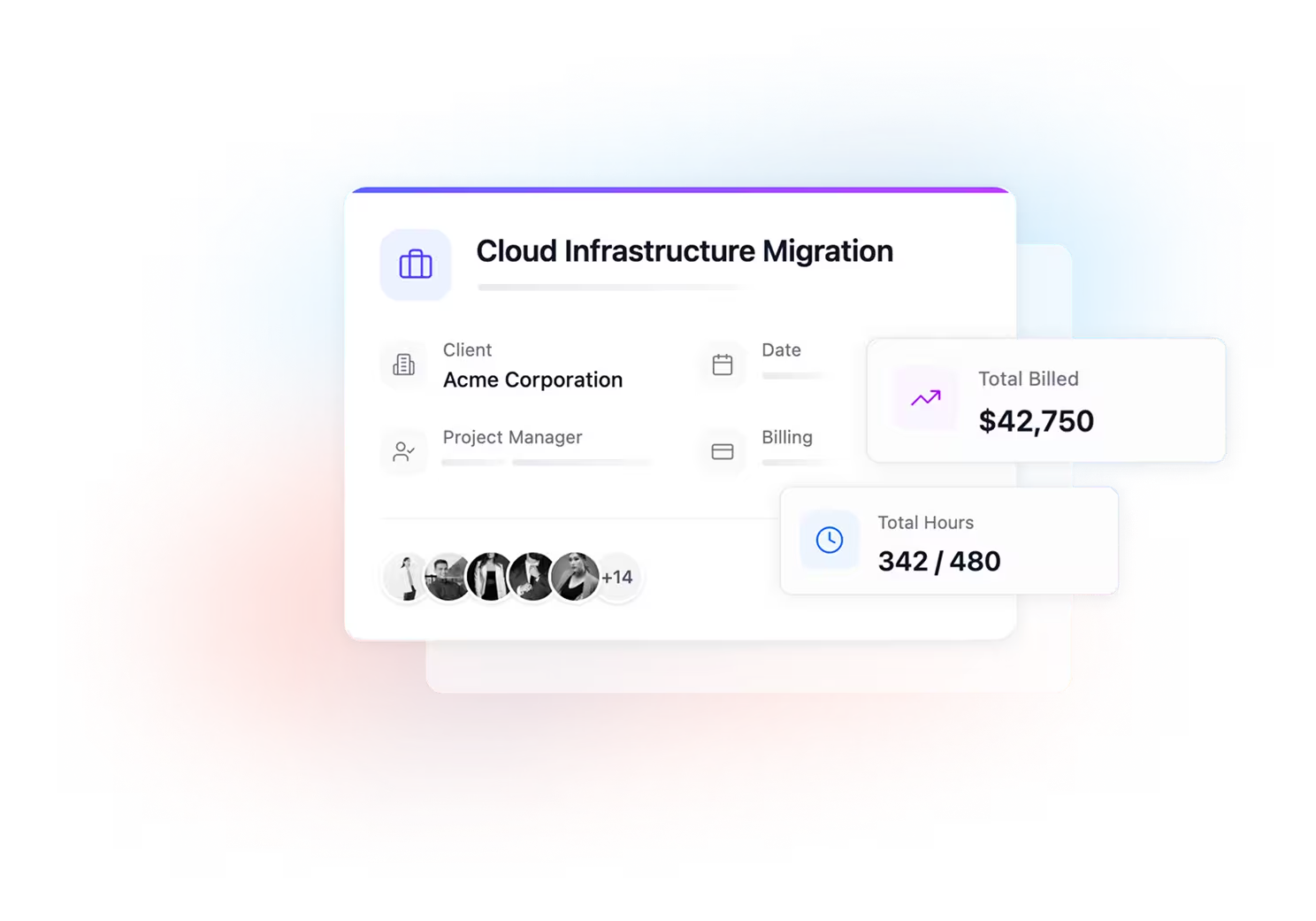
View employees assigned to each project
WORKFORCE OPERATIONS
Worklogs & Timesheets
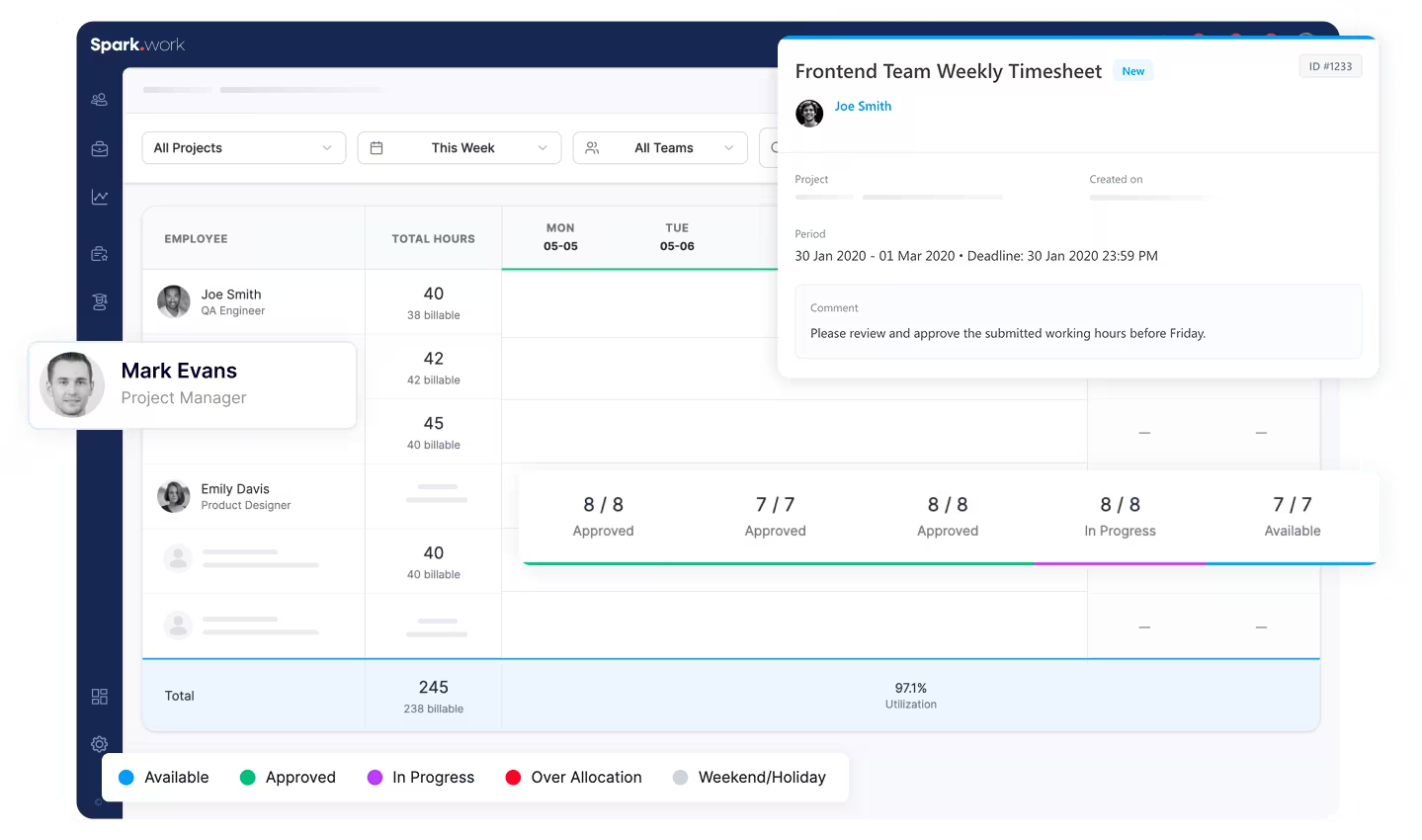
See Work as It Actually Happens
Understand how your resources are truly utilized across projects. This workload tracker gives you a clear, real-time view of time, effort, and allocation.
Track actual hours worked per person
Compare actual time against planned or allocated hours
Identify gaps, overwork, and underutilization
Built for Billing and Internal Visibility
- Track billable hours per project with precision
- Ensure transparency across teams and clients
- Reduce manual errors and reporting gaps
- Understand how time is distributed across your organization
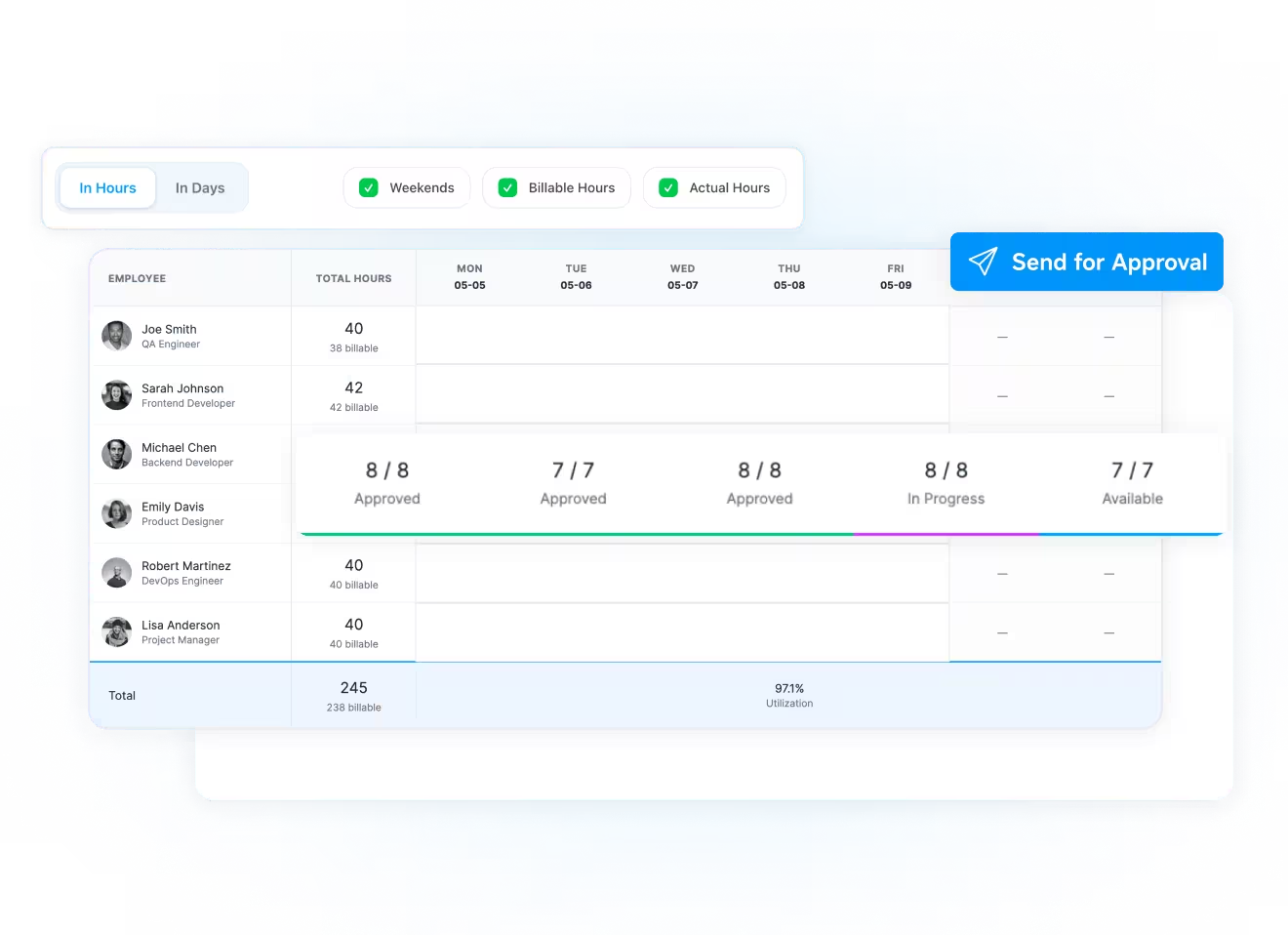
Create and Manage Timesheets
Turn tracked time into structured, approvable records. This timesheet tracker helps you generate, review, and validate timesheets with clarity.
- Select a project and time period
- Automatically compile worked hours
- Generate structured timesheets ready for review
- Send for approval across finance, management, or teams
Ready to See Where Time Actually Goes?
Stop guessing how work translates into hours. Start managing it with clarity.
FAQ
Have More Questions? We've Got You Covered
Who is this feature most useful for?
Companies that manage multiple projects and bill clients based on time, especially in software development and professional services.
Can I compare planned vs actual hours?
Yes. You can see how much each employee was expected to work versus how much they actually worked.
How are timesheets created?
You simply select a project and a time period, and the system compiles the worked hours into a structured timesheet.
Can timesheets be approved before billing?
Yes. Timesheets can be sent for approval (e.g. finance team) before being used for billing.
Is this only for billing purposes?
No. It’s equally valuable for internal visibility, helping you understand workload distribution and team performance.