
Personal Clarity
See everything you own or contribute to in one place.

STRATEGY, OPERATIONALIZED
Bring full visibility to execution. Track progress, align teams, and collaborate across every level of your organization.
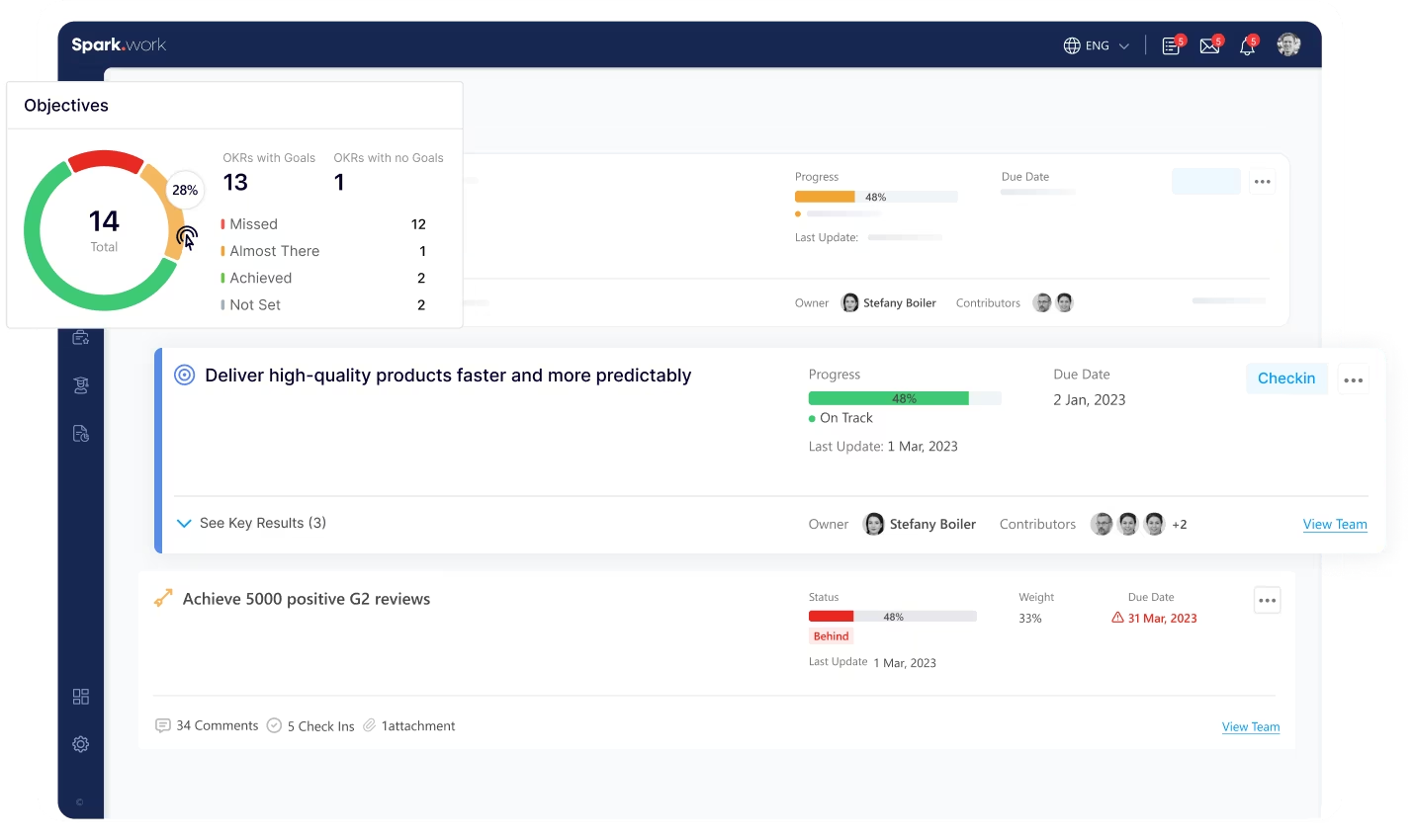
When progress is scattered, visibility disappears. Track OKRs across individuals, teams, and the entire organization in one structured view.
See everything you own or contribute to in one place.
Track progress across your team with filters, updates, and real-time status.
Move from individual execution to full organizational visibility.
OVERVIEW
Section intro/heading that sits above four stacked image + copy showcase panels (one per execution layer). The four panels follow as image-copy blocks.
EXECUTION LAYER
Stay focused on what you own and contribute to. See all your Objectives and Key Results in one place. Whether you’re responsible for delivery or contributing to progress, everything is clearly visible and easy to track.
TEAM OVERSIGHT
Manage team execution with full visibility and control. As a manager, track all Objectives and Key Results across your team. Monitor progress, identify risks early, and stay connected to execution without chasing updates.
DEPARTMENT VIEW
Understand execution across departments and business units. Track all Objectives and Key Results within a specific body or department. See how different teams contribute to broader goals and maintain alignment across functions.
ORGANIZATIONAL VIEW
See the full picture of execution across your company. With the right permissions, access a complete view of all Objectives and Key Results across the organization. Understand how strategy translates into execution at every level.
Track progress, align teams, and manage execution across every level.
FAQ
You can track Objectives and Key Results across all levels of your organization. This includes personal responsibilities, team progress, department-level execution, and organization-wide performance.
Tracking is organized into four clear views: Personal, Team, Body (department), and Organization. Each level provides a different perspective on execution, allowing users to focus on what matters most to their role.
The Personal view shows all Objectives and Key Results where you are either an owner or a contributor. It helps you stay focused on your responsibilities and understand your role in broader execution.
Managers can access a dedicated Team view where they can track all Objectives and Key Results across their team members. They can monitor progress, identify risks, and stay aligned without relying on manual updates.
Yes. You can filter Objectives and Key Results by criteria such as owners, contributors, types, statuses, and more. This makes it easy to find specific information and focus on what requires attention.
Each Objective and Key Result includes progress updates, statuses, comments, check-ins, and attachments. This ensures that all relevant information is centralized and accessible.
The Body view provides visibility into Objectives and Key Results within a specific department or business unit. It helps organizations maintain alignment and monitor execution across teams within that structure.
Organization-level visibility is available to users with the appropriate permissions. This allows leadership to monitor overall execution and ensure alignment between strategy and results.
By centralizing all Objectives and Key Results into one system, tracking eliminates fragmented updates and unclear ownership. It creates visibility, accountability, and consistency across the organization.